
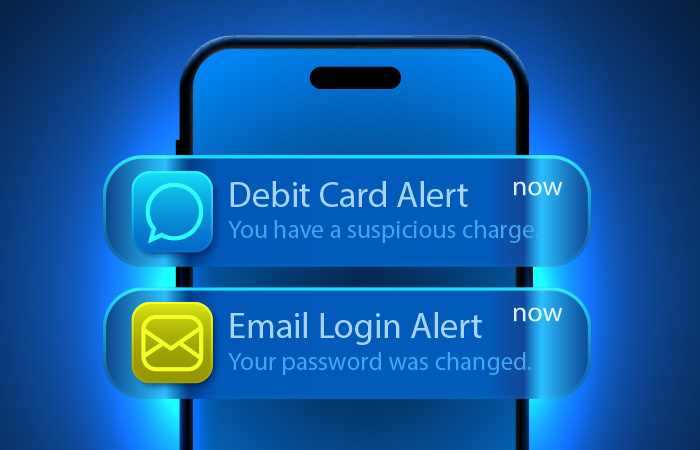
In the same way that automatic payments handle moving your money, alerts handle the noticing.
That distinction is easy to overlook, but it’s the difference between whether or not you’re fully in control of your money. So much of our financial life can run in the background - from automated payments and transfers to paycheck deposits. That’s exactly what makes them useful, and exactly what makes them easy to miss.
A handful of well-chosen alerts can help do some of the watching for you. They surface the things you actually want to know about and stay quiet otherwise. The result is a system you can rely on without checking every account every day.
Why Alerts Matter
Alerts can be useful since they often catch problems in real time - and give you time to take action before they cascade into other problems. Good alerts can:
- Let you know your balance is getting low.
- Spot a large fraudulent charge on a card you rarely use.
- Let you know that a paycheck didn’t arrive when expected.
- Remind you to make extra payments on a credit card bill.
Many banks, credit unions, and credit card issuers offer alerts through online and mobile banking, often at no charge. The setup takes a few minutes and can be well worth it the first time an alert catches something important.
Low-Balance Alerts
The single most useful alert for many people is a low-balance alert on checking.
The mechanics are simple: you set a threshold, and you get a text, email, or app notification any time your checking balance drops below it. The right number depends on your typical monthly cushion, the size of your largest automated payments, and how much warning you want before something might go wrong.
A low-balance alert can help you avoid overdrafts and even spot fraudulent charges quickly. For many people, this single alert prevents more problems than any other.
Large Transaction Alerts
A large transaction alert notifies you whenever a charge or withdrawal exceeds a threshold you set.
This is partly a fraud-detection tool and partly a budget-awareness tool. Unauthorized charges may be larger than typical purchases, so a threshold-based alert can sometimes catch fraud quickly. But the same alert can also catch legitimate but surprising charges.
Set the threshold above your normal day-to-day spending but below the level where you’d want to investigate. Too low, and the alerts become noise. Too high, and you may miss the things you actually want to see.
Due Date Alerts
For any bill that isn’t automated, and there will probably be a few, a due date alert serves the same role automation does for everything else. It removes the burden of remembering.
These alerts can come from the company itself, a recurring online calendar event you set up, or a budgeting app that tracks due dates across accounts.
The point isn’t just to be reminded - it’s to be reminded early enough to act. A reminder the day before a payment is due may be fine for a bill you can pay quickly online. A reminder several days in advance is better for bills that take time to review or require a check to clear.
Credit Card Balance Alerts
Credit card balance alerts can serve two related purposes: keeping spending visible and avoiding surprise statements.
Most credit card issuers allow you to set an alert when your balance crosses a threshold during a billing cycle. This can help catch subscription charges and recurring bills you may have lost track of. It can also surface unusually heavy spending in time to adjust before the statement arrives.
A credit limit alert, triggered when you’ve used a certain percentage of your available credit, is a related option some issuers offer. Either approach can help. The point is the same: the statement shouldn’t be the first time you see what your balance is.
Deposit Alerts
A deposit alert confirms that incoming money arrived as expected. That might include paychecks, transfers from other accounts, refunds, gig income, benefits, or tax returns.
This sounds minor, but it matters. A delayed direct deposit can throw off the timing of every automated payment scheduled around it. A refund that didn’t arrive may need to be followed up on. A scheduled transfer from another institution that didn’t post is worth catching before the next automated bill runs.
Deposit alerts are also among the simplest ways to confirm that your overall system is working. If the paycheck-arrived alert shows up on schedule each pay period, the rest of the system has the foundation it needs.
Recurring Charge Reminders
Subscription creep is one of the most common ways automated bill pay quietly costs more than it should. A trial converts to a paid subscription. A streaming service you no longer use keeps billing you. An app renews for another year before you notice.
The challenge is that subscriptions don’t always trigger other alerts. They may be too small to hit a large transaction threshold, and they post on schedule, so they don’t look unusual.
A few approaches can help:
- Set calendar reminders for trials and annual renewals. Schedule the reminder a few days before the trial converts or the renewal runs.
- Review recurring charges monthly. Your bank, credit card statement, or budgeting tool may help surface repeat charges.
- Do a subscription audit once or twice a year. Look through your statements specifically for services you no longer use.
The best approach is usually a combination: calendar reminders for new subscriptions and a regular review for anything that slipped through the cracks.
Credit Card Alerts and Credit Report Reminders
Credit and fraud alerts are useful, but it’s important to understand what they can and can’t do.
Most card issuers offer fraud alerts that flag unusual activity, such as a charge from an unfamiliar location or a transaction that doesn’t match your typical pattern. These alerts are helpful, and they’re often the first signal that a card may have been compromised. But they aren’t perfect. False alarms happen, and some suspicious charges may not be caught right away.
Account security notifications are also important. These may include alerts for password changes, new device logins, contact information updates, or other account changes. If you get one of these notifications and it wasn’t you, contact your financial institution immediately.
It’s also a good idea to set recurring calendar events for a couple of tasks: to review your card statements each month to spot unauthorized charges and to remind you to check your credit reports through AnnualCreditReport.com, the official source for free credit reports. Checking your credit reports is easy to forget, but if someone opens a fraudulent account in your name, it is a great way to find out and act before it causes other problems.
The Takeaway
The right alerts let you stay in control without checking your accounts every day. They help do the watching for you, surface what matters, and stay quiet otherwise.
Consider starting with a small handful: a low-balance alert, a large-transaction alert, deposit confirmations, and balance alerts for your active credit cards. Add others as you find them useful. Turn off the ones that become noise.
The goal is a quiet system that speaks up only when it needs to.